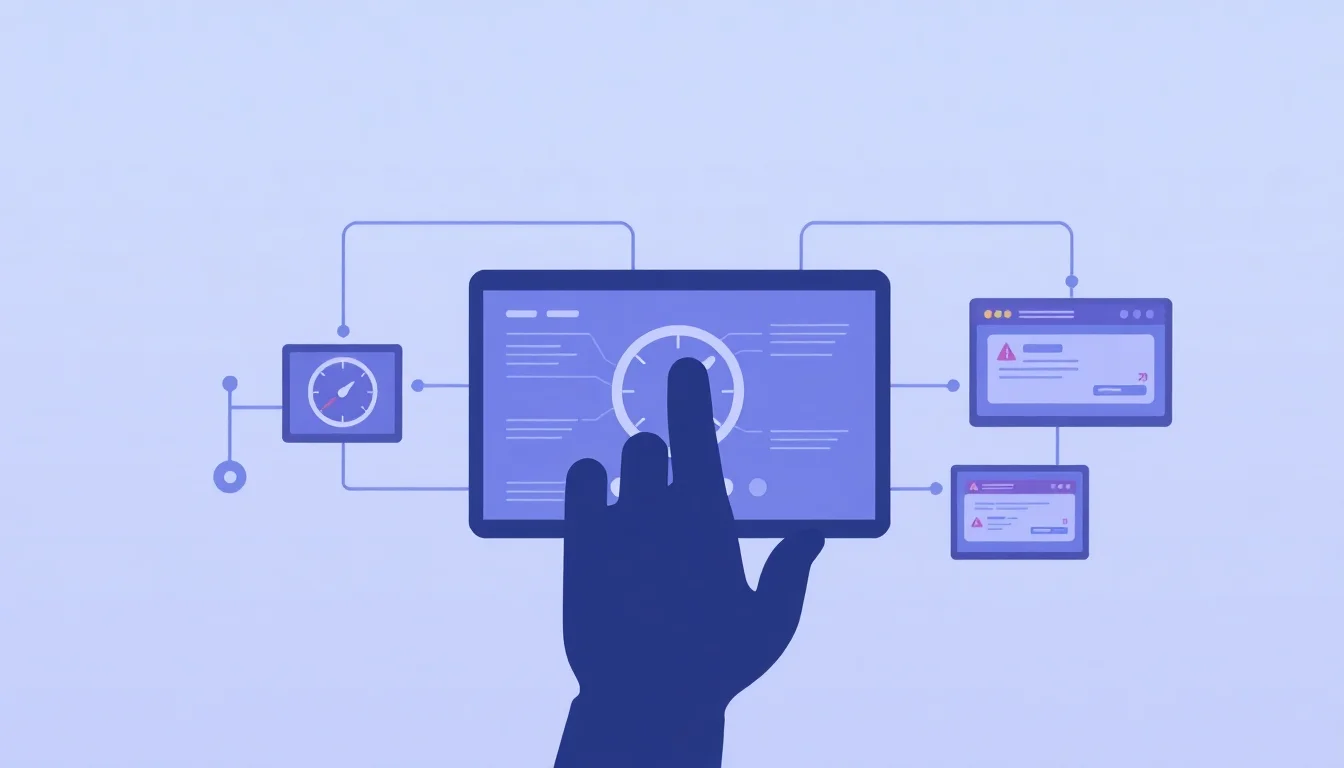
9 Zapier Workflows That Silently Break (And Exactly How to Monitor and Error-Proof Each One)
By Zapier15 min read
The Zapier workflows most likely to break silently include CRM-to-email sequences, form-to-spreadsheet syncs, payment-to-onboarding chains, and webhook-based triggers. Each fails due to API changes, field mismatches, or rate limits. Fix them by enabling Zapier's error notifications, adding Filter steps, and scheduling monthly task history audits.
Published: March 14, 2026 | Last Updated: March 14, 2026
Silent failures are the cruelest kind. Your Zap shows a green checkmark. Tasks log as successful. Meanwhile, leads vanish, contracts never generate, and paying customers receive zero welcome communication. At Zapier, we've seen this pattern repeat across thousands of small-team workflows. The issue is almost never a dramatic crash. It's a quiet drift between what your Zap expects and what your apps actually deliver.
This guide covers all 9 high-risk workflows, explains the exact failure mechanism for each, and gives you a concrete monitoring plan you can implement today.
1. CRM Contact Creation → Email Sequence Enrollment
This workflow breaks more often than almost any other. The culprit is almost always field mapping.
Why Field Mapping Is the #1 Silent Killer
Renaming a CRM field doesn't automatically update existing Zaps. The old field reference simply returns empty. Zapier will mark the task as "successful" even when the mapped field is blank, which means no error alert fires. You keep thinking your email sequences are enrolling new contacts. They're not.
Email sequence automation is genuinely high-value. For example, consider a solo founder running a SaaS trial signup flow. They set up a Zap to enroll new trial users in a 7-email onboarding sequence. After renaming the Email field in their CRM from 'User Email' to 'Contact Email', the Zap shows green checkmarks for weeks. New signups never receive the welcome emails because the mapping silently broke. Automated sequences drive 320% more revenue than non-automated outreach (landbase.com), which makes a silent enrollment failure especially painful. Every lead that slips past your enrollment step is a compounding loss.
A related problem: email list IDs change after platform restructures. If you rebuild your email tool's list architecture and forget to update the Zap, new contacts enroll in the wrong sequence or nowhere at all. No error. No alert. Nothing.
How to Monitor and Error-Proof This Zap
- Enable error notifications: Account Settings → Notifications → "Email me on errors"
- Add a Filter step immediately after the trigger: only continue if the Email field is non-empty
- Schedule a monthly audit of Task History filtered by "Halted" status
- Test monthly with a deliberately incomplete CRM record to confirm the Filter catches it
Map every field explicitly. Never assume a field name is stable.
2. Form Submission → Google Sheets Row Addition
This is the most common Zap small teams build. It's also fragile by design.
The Column Shift Problem Explained
Insert a column anywhere in your Google Sheet and every subsequent column reindexes. Your Zap still points to the original position. Data writes to the wrong column or fails entirely, and the task still logs as successful. Zapier's Google Sheets integration maps to column names at setup time. Change the header, and the mapping silently breaks.
Form data mapping failures compound quickly when using tools like Typeform or Google Forms. Typeform/Google Forms data doesn't map correctly when question text changes, creating incomplete records downstream. This is especially damaging for support workflows where incomplete form submissions create half-populated tickets with missing fields that agents then have to chase manually.
Monitoring Setup for Form-to-Sheet Zaps
- Use a dedicated "Automation Intake" sheet that nobody else edits
- Add a timestamp column written by the Zap itself. If new rows stop getting timestamps, the Zap is broken
- Protect your header row using Google Sheets' built-in protection feature
- Set a weekly calendar reminder to compare row counts against form submission counts
- Use named columns, never column letter references
3. Stripe Payment → Client Onboarding Sequence
This is the highest-stakes workflow on this list. A broken Zap means a paying customer receives zero welcome communication.
Why Payment Webhooks Are Uniquely Fragile
Stripe rotates webhook signing secrets when you manually roll them, instantly breaking any Zap relying on the old secret. Plan ID format changes are another failure mode. Legacy IDs and the newer price_ prefix IDs behave differently in Filter conditions. If your Zap checks for a specific plan ID string, and Stripe's API updates that format, your Filter never matches and onboarding never fires.
Stripe's API versioning schedule is aggressive. The legacy usage records APIs are removed in Stripe version 2025-03-31 (docs.stripe.com), with the cutoff for legacy usage record submission at API version 2025-02-24 (docs.stripe.com). API deprecations like this break Zapier integrations without any warning in your Zap's task history.
Payment processing workflows also expose edge cases most guides ignore. Partial payments, failed retries, and disputed charges all generate Stripe webhook events. If your Zap isn't scoped to handle these edge cases, the automation may attempt to trigger onboarding for a payment that isn't fully settled.
Building a Failsafe Onboarding Zap
- Subscribe to Stripe's status page for deprecation announcements
- Add a parallel Zap path: if the onboarding email fails, send an internal Slack alert immediately
- Log every triggered payment event to a Google Sheet as a paper trail
- Compare that log against your Stripe dashboard weekly
- Any workflow triggered by a revenue event needs a human-visible alert. Not just silent error logging.
4. Typeform → CRM Lead Creation
Typeform's conditional logic is powerful for respondents. For Zaps, it's a reliability hazard.
The Hidden Danger of Conditional Form Logic
Questions hidden by conditional logic return null values. If your CRM field is marked required in the Zap mapping, the task halts and no lead is created. This is common in qualification forms where budget or timeline questions are conditional. A respondent who skips those questions generates a null field, and your CRM never sees them.
Typeform's webhook system has its own failure thresholds. If a webhook fails 100% of the time within 24 hours with more than 300 delivery attempts or within 5 minutes with 100 delivery attempts, Typeform will disable it and send a notification (typeform.com). You can review the last 50 delivery attempts under Configure → Webhooks → Recent Requests (typeform.com) to diagnose what's failing.
Lead filtering is another edge case. Low-priority leads can bypass filters and flood downstream campaigns when filter logic uses OR conditions instead of AND. Audit your Filter step logic regularly to prevent this.
Error-Proofing Typeform Zaps
- Use Zapier's Formatter → Text → Default Value to replace null fields with "Not provided"
- After any Typeform edit, send a test submission immediately and verify the CRM record
- Treat every Typeform edit as a reason to re-verify field mapping before publishing
5. Slack Message → Project Management Task Creation
This workflow fails because it depends on the most unpredictable variable in any system: human behavior.
Designing Durable Slack Triggers
Keyword or emoji-triggered Slack Zaps break when team communication norms shift. Nobody uses !task anymore. The trigger phrase falls out of use and the Zap starves silently. Channel renames or archive actions stop the trigger entirely. Zapier won't alert you that the source channel no longer exists.
The destination breaks too. Asana projects get archived, ClickUp spaces get restructured, Trello boards get deleted. Portfolio filters in project management tools can block task creation when the destination project no longer matches the filter criteria, leaving the Zap with nowhere to write.
Agent availability logic adds another failure mode in customer-facing workflows. When a Zap is supposed to route a high-priority message to an on-call agent but the availability field is stale, the task creates successfully but the ticket sits unassigned. No error fires. The ticket ages.
Monitoring Slack-to-PM Zaps
- Use a dedicated
#automationsSlack channel for trigger messages. Never rename it. - Pin a message inside it explaining active Zaps and trigger phrases
- Prefer bot-posted messages as triggers over human messages. Bots follow consistent formatting.
- Add a confirmation message back to Slack when the task is created. Users notice immediately if it stops appearing.
- Set a weekly reminder to check Task History. If no tasks fired in 7 days, investigate.
6. New Email → Auto-Tagging and CRM Update
OAuth token failures are invisible. That's what makes them dangerous.
Understanding OAuth Token Failures
Google revokes OAuth tokens after prolonged inactivity or when account security settings change. Zapier shows the Gmail connection as "connected" in the UI even after the token has expired at Google's end. Your auto-tagging Zap appears healthy. It's not running.
OAuth vulnerabilities extend beyond expiration. One unsecured integration led to 700+ breached organizations in a documented supply chain attack, with a blast radius 10x greater than direct platform breaches (obsidiansecurity.com). For small teams, the practical risk is simpler: an expired or revoked token silently orphans every email-triggered Zap in your stack.
Email by Zapier also introduces parsing failures. When email formats are inconsistent, such as HTML-heavy newsletters versus plain text replies, the Formatter step extracts different values depending on the email structure. A Zap built on plain-text parsing breaks silently when the sender switches to an HTML template.
Proactive Reconnection Strategy
- Add "Reconnect Zapier app connections" as a quarterly calendar event
- Use Zapier's Connected Accounts page to audit all active connections and their last-used dates
- Reconnect Gmail and Outlook accounts proactively every 90 days, before they fail
- OAuth-dependent Zaps are on a silent expiration clock. Schedule reconnections.
7. Webhook-Triggered Data Enrichment → Database Update
Webhook Zaps are the most powerful workflow type. They're also the most fragile.
Building a Webhook Logging Layer
External systems update their payload schemas without notice. A key gets renamed. Nesting gets added. A data type changes from string to integer. Your Zap's field mapping breaks, but the task logs as successful because the webhook was received. The database update simply writes empty fields.
Webhook security failures compound this. One unsecured integration led to 700+ breached organizations (obsidiansecurity.com). Beyond security, the architectural lesson is the same: log every raw webhook payload before processing it. Use a two-Zap architecture: Zap 1 catches the webhook and logs it to a Google Sheet; Zap 2 reads from that sheet and processes it. This creates an automatic audit trail and a recovery record without any code.
Handling Rate Limits Gracefully
Rate limiting from destination APIs causes silent failures during traffic spikes. HubSpot, Airtable, and Notion all impose per-minute request limits. When your enrichment workflow fires in bulk, some tasks fail silently while others succeed.
- Enable Zapier's built-in rate limit handling in advanced Zap settings
- Add a Delay step to stagger bulk operations
- Never process a webhook without first logging the raw payload. It's your only safety net.
8. Scheduled Digest → Weekly Report Delivery
A Zap that runs on schedule but delivers nothing useful is worse than a broken Zap.
Making Empty Results Visible
Time-based Zaps silently "succeed" even when the underlying data query returns zero results. A blank report is a passing task in Zapier's eyes. Recipients stop trusting the digest. Eventually they stop reading it. By the time someone notices the data is wrong, weeks of operational context are missing.
Add a Filter step: if record count equals zero, send a Slack alert instead of an empty email. Include a dynamic "Report generated at [timestamp]" line so recipients can immediately see if the data is stale. At least a broken Zap is visible in Task History. A Zap that runs and delivers nothing gives you no signal at all.
Recipient Management for Digest Zaps
- Send digests to a team alias or shared inbox, never an individual's email address
- Document all digest Zap recipients in your ops wiki
- Offboarding a team member should trigger a review of every digest they receive
- A blank report is not a successful report. Build that logic into the Zap itself.
9. Multi-Step Approval Workflow → Contract or Invoice Generation
Long Zaps fail at a rate that compounds with every step added.
The Cascading Failure Problem in Long Zaps
Zapier stops a Zap at the first point of failure and marks all remaining steps as "never ran." In a busy Task History, this is easy to miss. Approval workflows break when the approver changes, a form field is renamed, or the document template is edited in PandaDoc, DocuSign, or HelloSign. Template variable names in the document must exactly match the field names mapped in Zapier. One character difference causes silent failure at generation.
Research on automation project outcomes shows 73% of test automation projects fail (virtuosoqa.com). Multi-step workflows with dependencies across multiple tools are disproportionately represented in that failure group. The longer the Zap, the harder it is to identify which step triggered the failure without detailed logging at each stage.
Architecting Resilient Approval Workflows
- Break long Zaps into 2–3 step sub-Zaps connected via Zapier Tables or a Google Sheet
- Use Zapier Tables as a central state store: write status updates at each approval stage
- Add a Slack or email notification at the final step confirming document generation. Silence means something went wrong.
- Any workflow ending in a legal or financial document deserves a daily spot-check of Task History.
Zapier Agents add a newer failure mode. When AI model configurations change or the underlying data passed to an agent is inconsistent, the agent halts without logging a clear error. Monitor agent-based Zaps with explicit output logging at every decision point.
Universal Zapier Error-Proofing Checklist
Apply this across every Zap in your stack.
Immediate actions:
- Enable error notification emails: Account Settings → Notifications
- Add a Filter or Formatter step as the first action in every multi-step Zap
- Use Paths for branching logic instead of separate Zaps. Silent failures in one branch won't block others.
- Log raw inputs (especially webhook payloads) to a Google Sheet before processing
Weekly habits:
- Check Task History filtered by "Halted" for every critical Zap
- Verify timestamp columns in Sheet-based Zaps still show recent entries
- Confirm digest recipients are current
Monthly habits:
- Test each Zap with an incomplete or edge-case input
- Review Zapier's Connected Accounts page for stale connections
- Check for API deprecation notices from Stripe, Google, and any webhook-sending tools
Architectural rules:
- Never trigger critical workflows from channels, fields, or IDs that humans can rename
- Always send a human-visible confirmation at the end of revenue-critical Zaps
- Document every Zap in an ops wiki with: purpose, trigger source, destination, and last-verified date
Silent failures reduce dramatically when you use Filter and Formatter steps early in the Zap and use Paths for branch logic. A Filter that halts early creates a visible "Halted" record. An unchecked empty field creates a "Successful" record that hides the failure. Design for visibility.
Frequently Asked Questions
How can I ensure my Zapier workflows are error-proof
No Zap is completely error-proof, but you can get close. Add a Filter step early to validate required fields, use Formatter to handle null values, log raw inputs to a Google Sheet before processing, and enable error notification emails. Test each Zap monthly with incomplete or edge-case data to confirm safeguards are working.
What are the best practices for monitoring Zapier workflows
Check Task History weekly filtered by "Halted" status for every critical Zap. Add a self-writing timestamp column to Sheet-based Zaps so you can see at a glance when data last arrived. For revenue-critical workflows, add a Slack confirmation at the final step. Silence at that confirmation step is your earliest signal of failure.
How do I set up alerts for errors in my Zapier workflows
Go to Account Settings → Notifications and enable "Email me on errors." For higher-stakes Zaps, add a dedicated error path using Zapier's Paths feature: if any critical step fails, send a Slack message to the founder or ops lead immediately. Combine both methods for workflows tied to payments or contract generation.
What tools can help me document and maintain my Zapier workflows
Zapier Tables works well as a central state store for multi-step workflows, logging status at each stage. A shared Google Sheet or Notion page serves as an ops wiki documenting each Zap's purpose, trigger, destination, and last-verified date. Zapier's Connected Accounts page helps you audit all active app connections and spot stale OAuth tokens before they expire.
How can AI assist in creating and managing Zapier workflows
Zapier's AI features, including Zapier Agents, can build and run multi-step workflows from natural language descriptions. However, agent-based Zaps require explicit output logging at every decision point because AI model changes or inconsistent input data can cause the agent to halt without a clear error. Always pair AI-driven Zaps with a logging step and a human-visible confirmation at the end.
Sources & References
- 25 Email Sequence Statistics That Prove Automation Drives 320% More Revenue in 2026[industry]
- Troubleshooting and errors - Typeform[industry]
- What is Webhook Security: Securing SaaS Integrations in 2026 - Obsidian Security[industry]
- The new attack surface: OAuth Token Abuse - Obsidian Security[industry]
- 73% of Test Automation Projects Fail – Here's Why 27% Succeed[industry]
- Migrate to billing meters - Stripe Documentation[industry]
About the Author
Zapier
Zapier is a no-code automation platform empowering solo founders and small teams to connect apps, eliminate repetitive tasks, and scale operations efficiently without expanding headcount.
Learn more at zapier.com →Related Posts
How to Set Up a Zapier AI Chatbot for Customer Support in Under an Hour
A Zapier AI chatbot can handle common customer support questions 24/7 without adding headcount. This step-by-step guide walks solo founders and small ops teams through the complete setup process—from connecting your first app to testing your first automated response—in under 60 minutes.
16 min read

The Lean Ops Stack: 7 Tools That Work Seamlessly With Zapier to Run a $1M Business With No Operations Hire
Running a $1M business without an operations hire isn't a fantasy—it's an architecture decision. This post breaks down 7 tools that connect natively with Zapier to automate lead routing, invoicing, customer support, and more, so your business runs itself while you focus on growth.
15 min read
Zapier vs Make vs Power Automate in 2026: Which No-Code Automation Platform Is Right for a 1–10 Person Team?
Choosing the wrong automation platform costs small teams real time and money. This hands-on comparison breaks down Zapier, Make, and Microsoft Power Automate across pricing, ease of use, AI capabilities, and reliability—so a 1–10 person team can make a confident, informed decision in 2026.
16 min read